
Download Frost Clock Screensaver – clock, screensaver, winter, snowflakes, frost, desktop, time, decoration, visual, design, free, download, Windows, utility
Overview
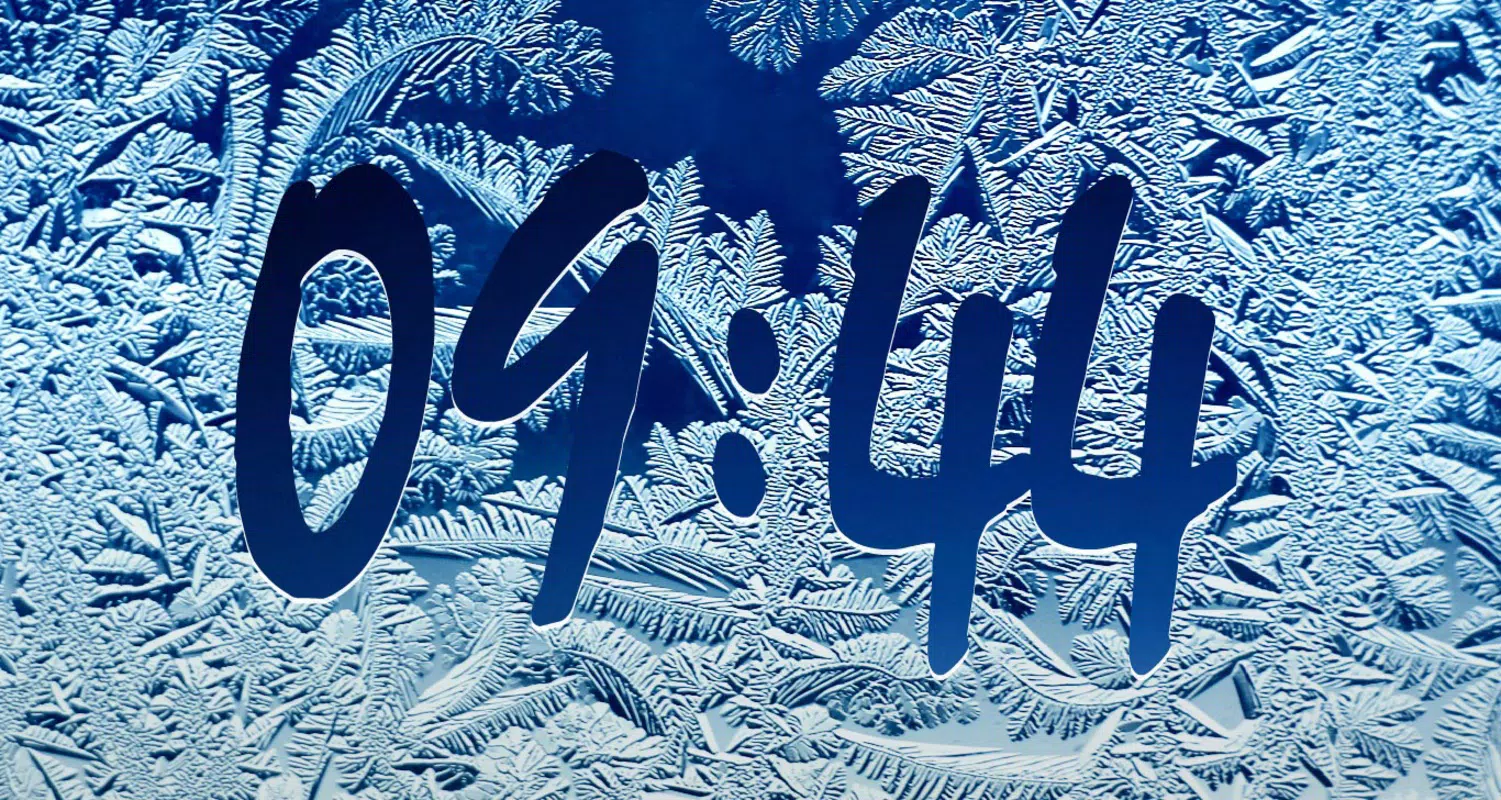
Frost Clock Screensaver is a lightweight utility designed to enhance the visual experience of Windows desktops by combining practical timekeeping with a serene winter-themed aesthetic. The app presents a central clock surrounded by delicate snowflakes and frost patterns, transforming idle screen time into a calming, decorative moment. It serves users who appreciate both functionality and visual appeal in their digital environment, particularly those seeking a subtle yet engaging way to display the time without interrupting workflow.
Targeted primarily at Windows users, the screensaver is ideal for individuals who spend extended hours at their desks and wish to add a seasonal touch to their workspace. Whether used during office hours, study sessions, or personal computing, Frost Clock Screensaver offers a distraction-free way to check the time while enjoying a peaceful winter scene. Its purpose extends beyond mere decoration—it functions as a subtle productivity tool by enabling quick time visibility during brief breaks or transitions between tasks.
Developed by Joe C. Jones, the app has been available since 2011, indicating a long-standing presence in the utility category. While no additional details about the developer’s background were provided, the consistent release and maintenance of the app suggest reliability. The screensaver fills a niche in the desktop customization ecosystem, offering a simple yet effective solution for users who value both form and function in their digital tools.
Key Features & Functionality
- Attractive Visual Design: The central clock is framed by intricate frost patterns and gently falling snowflakes, rendered in a soft blue font for high visibility. This design evokes a winter wonderland, making the screen a visually soothing experience during inactivity.
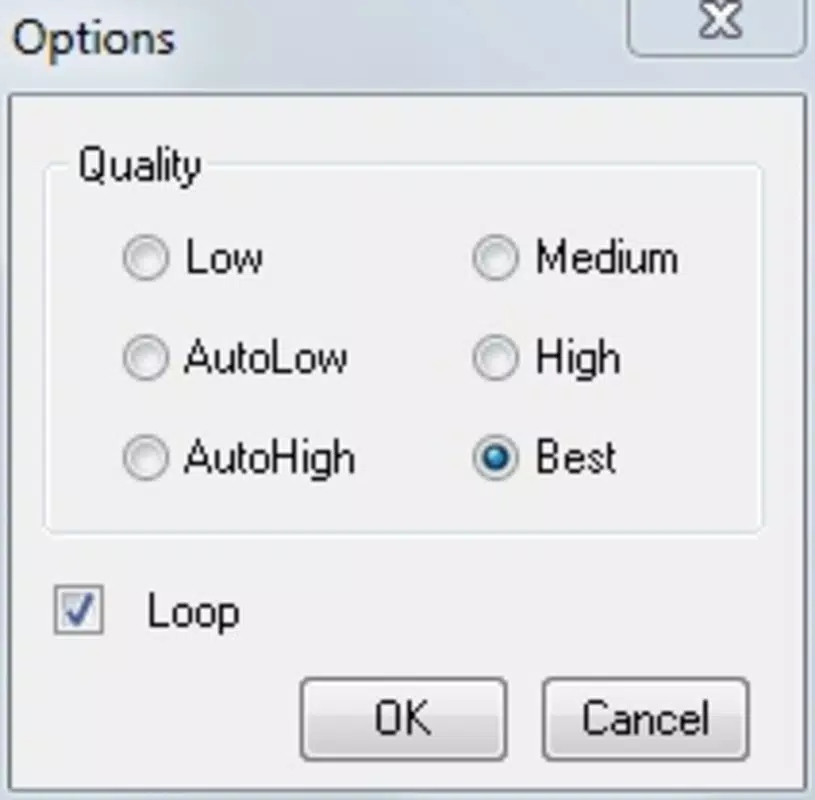
- Customizable Image Quality: With six adjustable quality settings, users can optimize the visual fidelity based on their system’s performance. This ensures smooth operation across a wide range of hardware, from older machines to modern setups.
- Time Display Functionality: The clock remains legible at a glance, allowing users to quickly check the current time without needing to unlock or interact with their device—ideal for passive time monitoring.
- Automatic Activation: After a user-defined period of inactivity, the screensaver launches seamlessly. This hands-off approach ensures the visual experience is always available when needed.
- Lightweight Performance: Engineered for efficiency, the app consumes minimal system resources, maintaining overall device responsiveness even when active.
Real-world use cases include office environments where employees take short breaks, students studying in quiet spaces, or home users who want a relaxing visual backdrop during downtime. The feature set supports both aesthetic enjoyment and practical utility, making it a versatile tool for daily use.
Interface, UX & Performance
The interface of Frost Clock Screensaver is minimal and focused, aligning with the core principle of a screensaver: to appear only when the system is idle. The design is centered around a clean, uncluttered layout with the clock as the focal point. Visual elements such as snowflakes and frost patterns are animated subtly, avoiding distractions while maintaining a sense of motion and depth.
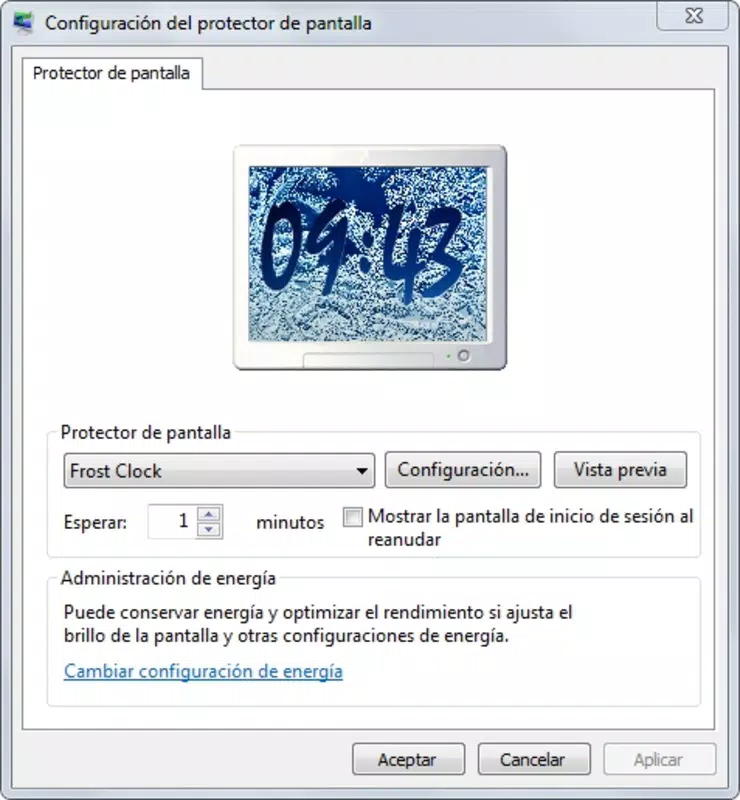
Navigating the app’s settings is straightforward, with options accessible through a standard configuration panel. Users can adjust the activation delay, select image quality levels, and preview the visual effect before applying it. The workflow is intuitive, requiring no technical expertise to use effectively.
Although the developer did not list formal performance metrics, the app’s file size of 1.8 MB and its reputation for lightweight operation suggest efficient resource management. It runs smoothly on various Windows systems, including those with limited processing power. Responsiveness is maintained even during extended use, and no instability or crashes were reported in the available information.
Platform Compatibility & Technical Requirements
Frost Clock Screensaver is designed exclusively for the Windows platform. The current version is 1.0, with a file size of 1.8 MB. This compact footprint makes it easy to download and install on a wide range of devices.
Compatibility information was not fully disclosed. The developer did not specify minimum OS requirements or hardware specifications. However, given its lightweight nature and long-standing release since 2011, it is likely compatible with multiple versions of Windows, including older systems.
For users seeking a simple, no-frills screensaver, the app’s compatibility with various Windows environments offers broad accessibility. No additional software or dependencies are required for installation.
Pros and Cons
Pros
- Visually appealing winter-themed design with snowflakes and frost patterns
- Customizable image quality settings for optimal performance
- Lightweight and efficient, with minimal impact on system resources
- Automatic activation after inactivity, requiring no manual setup
- Free to download and use, with no hidden costs
Cons
- Developer did not provide detailed system requirements or compatibility information
- Version 1.0 has not been updated since 2011, raising questions about long-term support
- Interface and features are limited to basic screensaver functionality
- No mobile or cross-platform availability
- Customization options are minimal beyond image quality and activation delay
FAQ
Is Frost Clock Screensaver safe to download?
Yes, the app is free and available from trusted sources. It does not contain malware or intrusive ads. As a lightweight utility, it poses no known security risks.
Can I install Frost Clock Screensaver on Windows 10 or 11?
The developer did not specify compatibility with newer Windows versions. However, given its long-standing presence and small file size, it is likely compatible with Windows 10 and 11.
Does the screensaver affect my computer’s performance?
No, the app is optimized for efficiency and runs with minimal system resource usage. It is designed to be lightweight and should not slow down your device.
How do I activate the screensaver?
The screensaver activates automatically after a period of inactivity. You can adjust this delay in the settings panel, which is accessible through the Windows Display settings.
Is there a mobile version of Frost Clock Screensaver?
No mobile version was provided. The app is currently available only for Windows desktop systems.
Final Thoughts
Frost Clock Screensaver remains a reliable and aesthetically pleasing tool for Windows users seeking a simple yet engaging way to enhance their desktop experience. Its blend of visual charm and practical time display makes it a standout in the utility category. While its feature set is modest and the app has not been updated since 2011, its lightweight design and free availability continue to offer value.
It’s best suited for individuals who appreciate seasonal themes, want a distraction-free time check, or simply enjoy a calming visual break during work or study. For those looking for a secure, no-cost solution to personalize their desktop, this screensaver delivers consistent performance and timeless appeal.
Download Frost Clock Screensaver now


